Introducing Hubly
The Hub Built Around You
One place for the routines, care, and admin that come with daily wheelchair use - instead of the patchwork of apps, notes, and reminders you're probably using now.
Scroll down to find out more
It all starts with care
This first release is about laying the foundations. We wanted to start with something that actually matters day-to-day. Personal care takes real time and real mental energy for wheelchair users, and existing tools don't handle it well. That's where we're starting. More will follow.
All your care routines on one screen
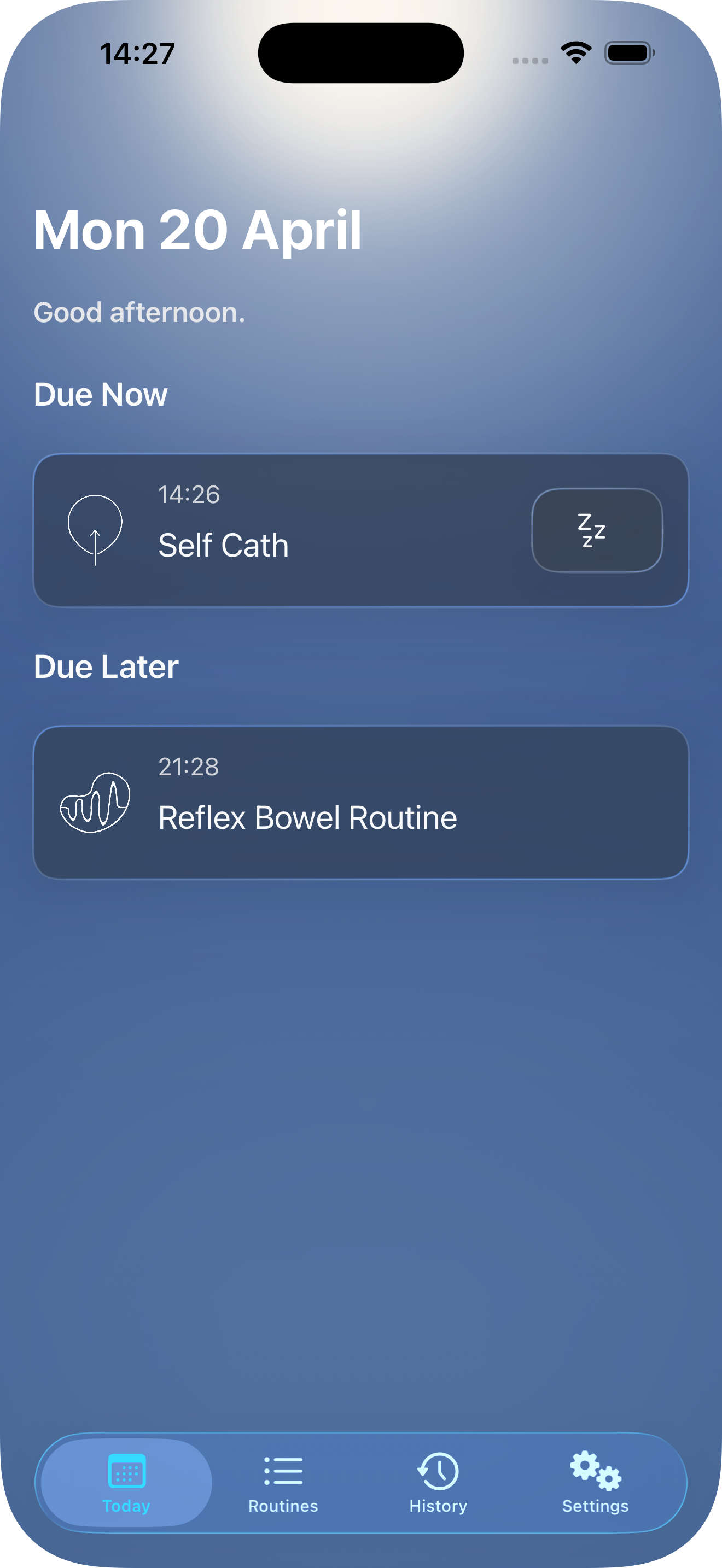
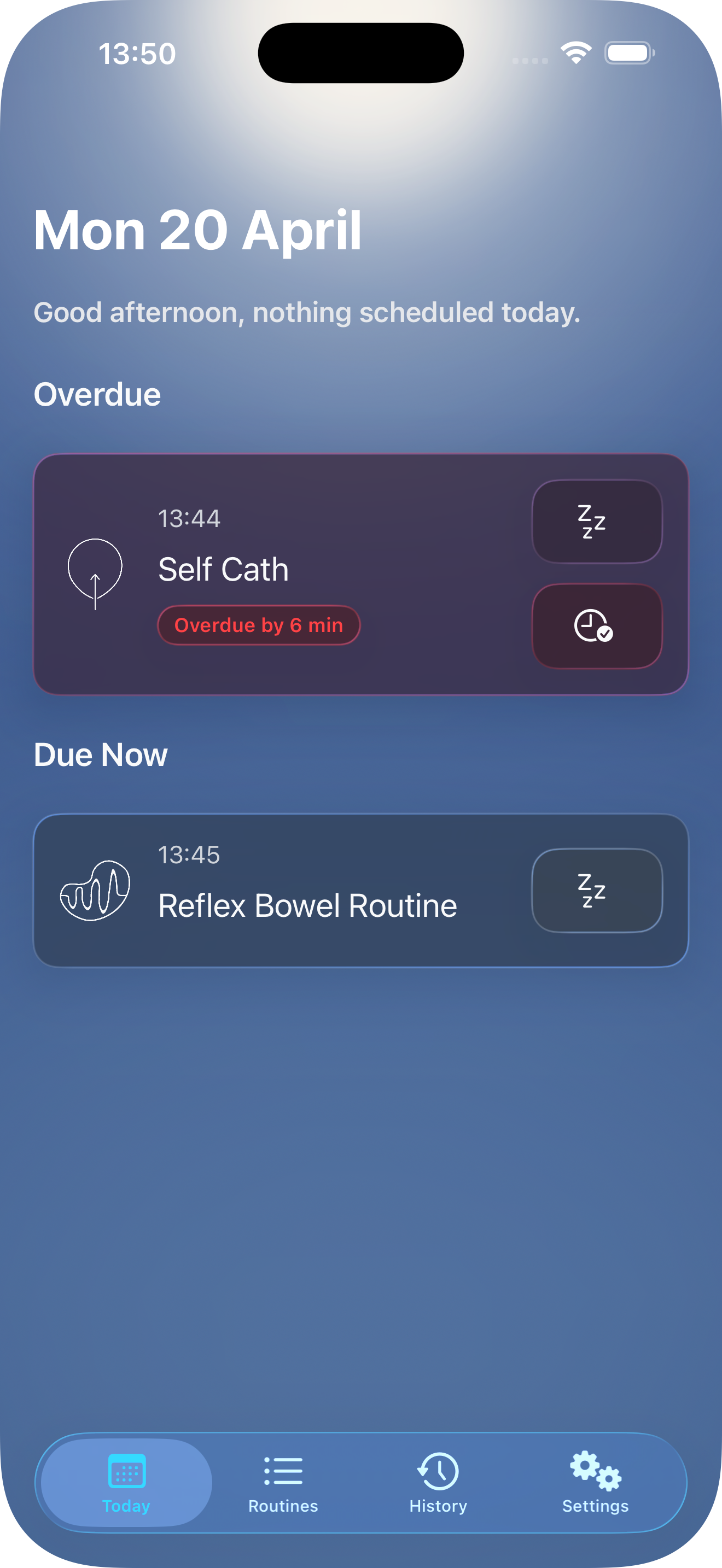
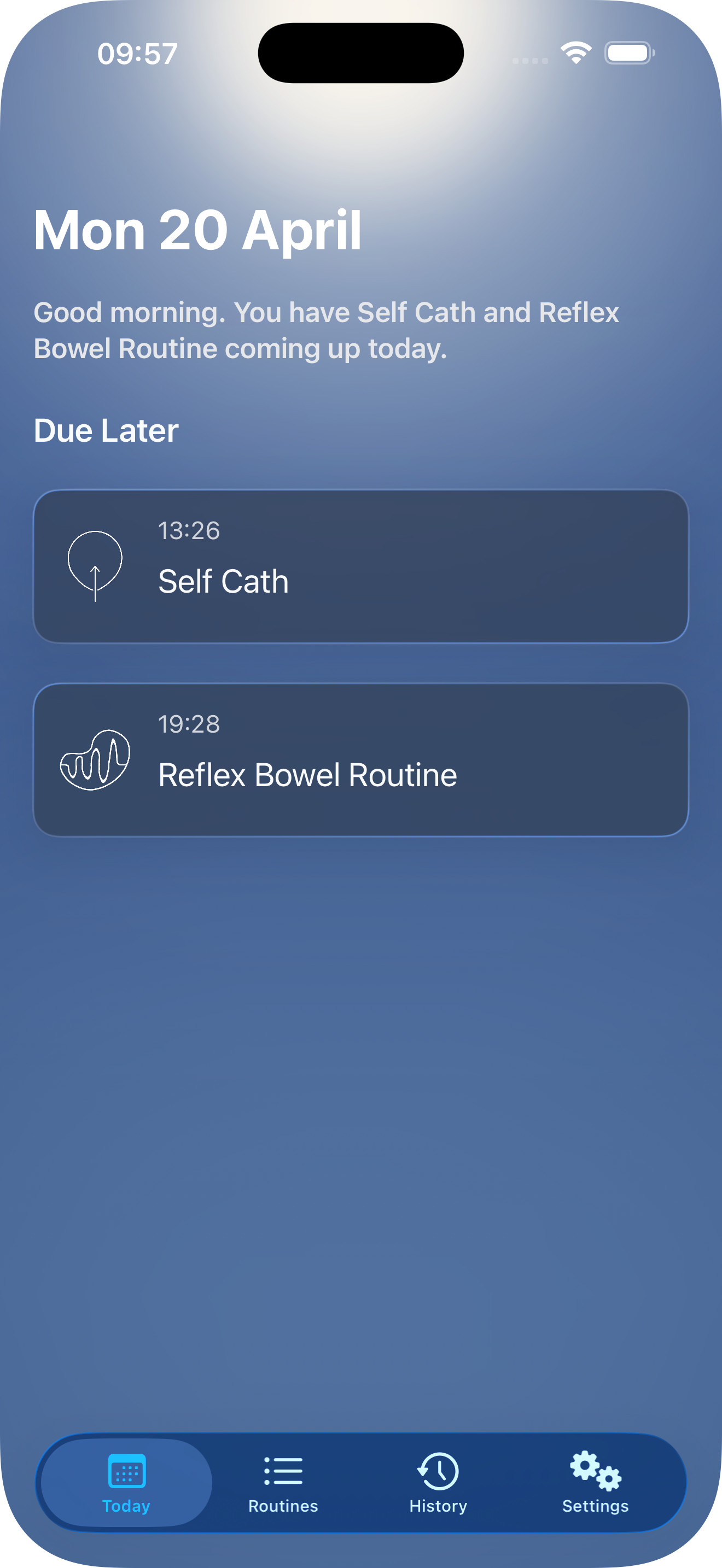
Start your day knowing what's ahead. Today shows what's overdue, due now and what's coming up.
Forgetting something?
Hubly will remind you and keep track of any overdue sessions.
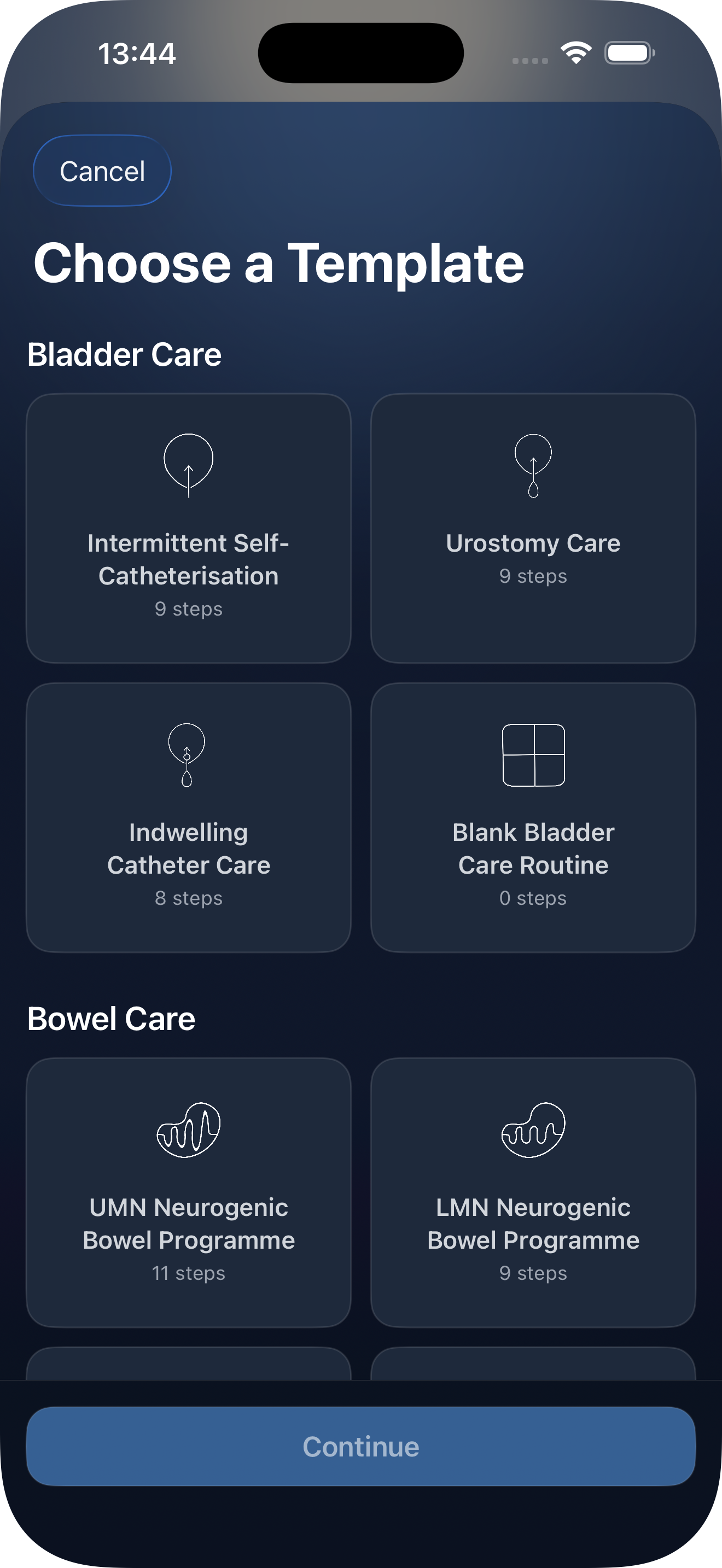
Easily add your routines.
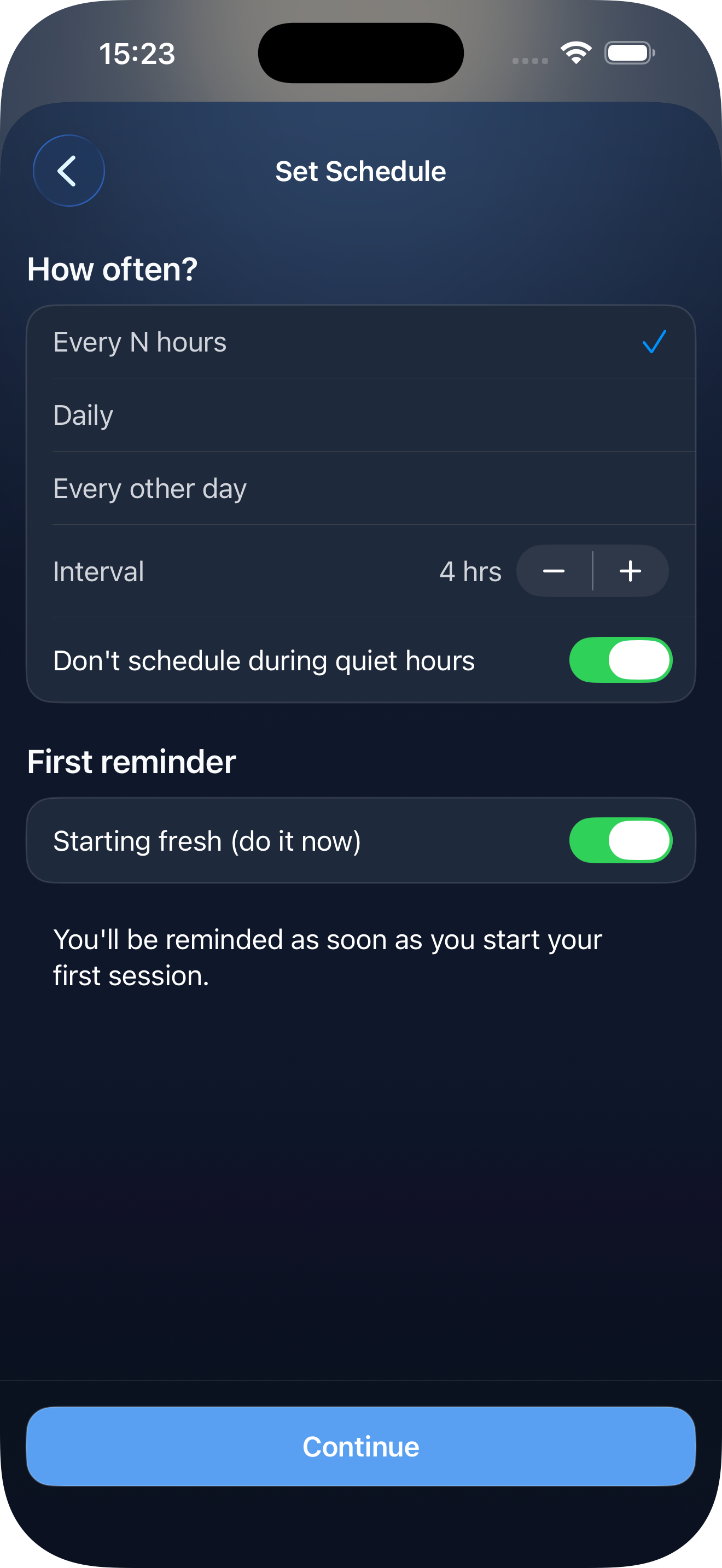
Create routines based on how you already manage your care. Add your own steps, set timing or completion requirements, and choose how you'd like to be reminded. Track your routines with flexible schedules and notifications that fit your day.1
Scheduling headaches avoided
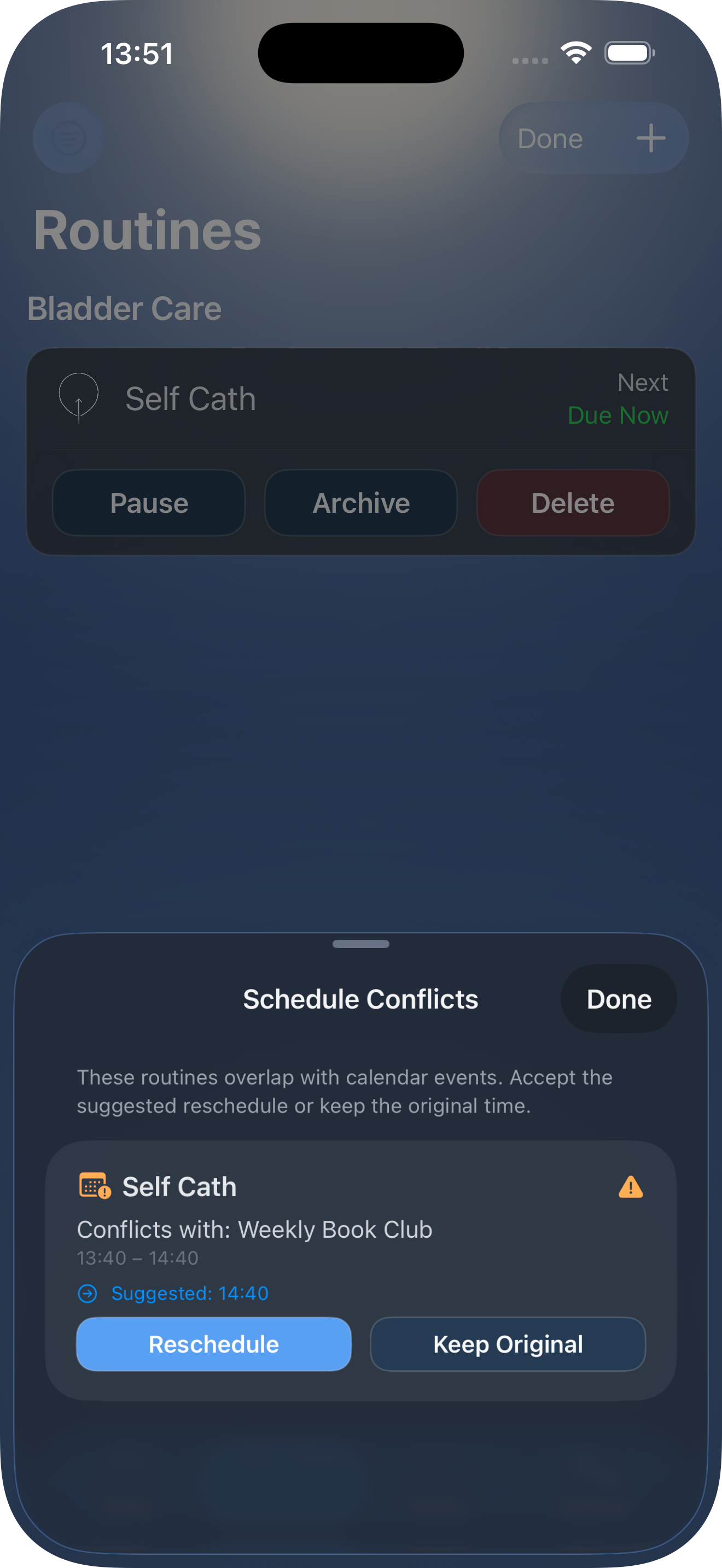
Your calendar doesn't know about your care routines. Hubly does. When you book something that clashes with a scheduled routine, Hubly flags it before it becomes a problem2.
Walk me through it
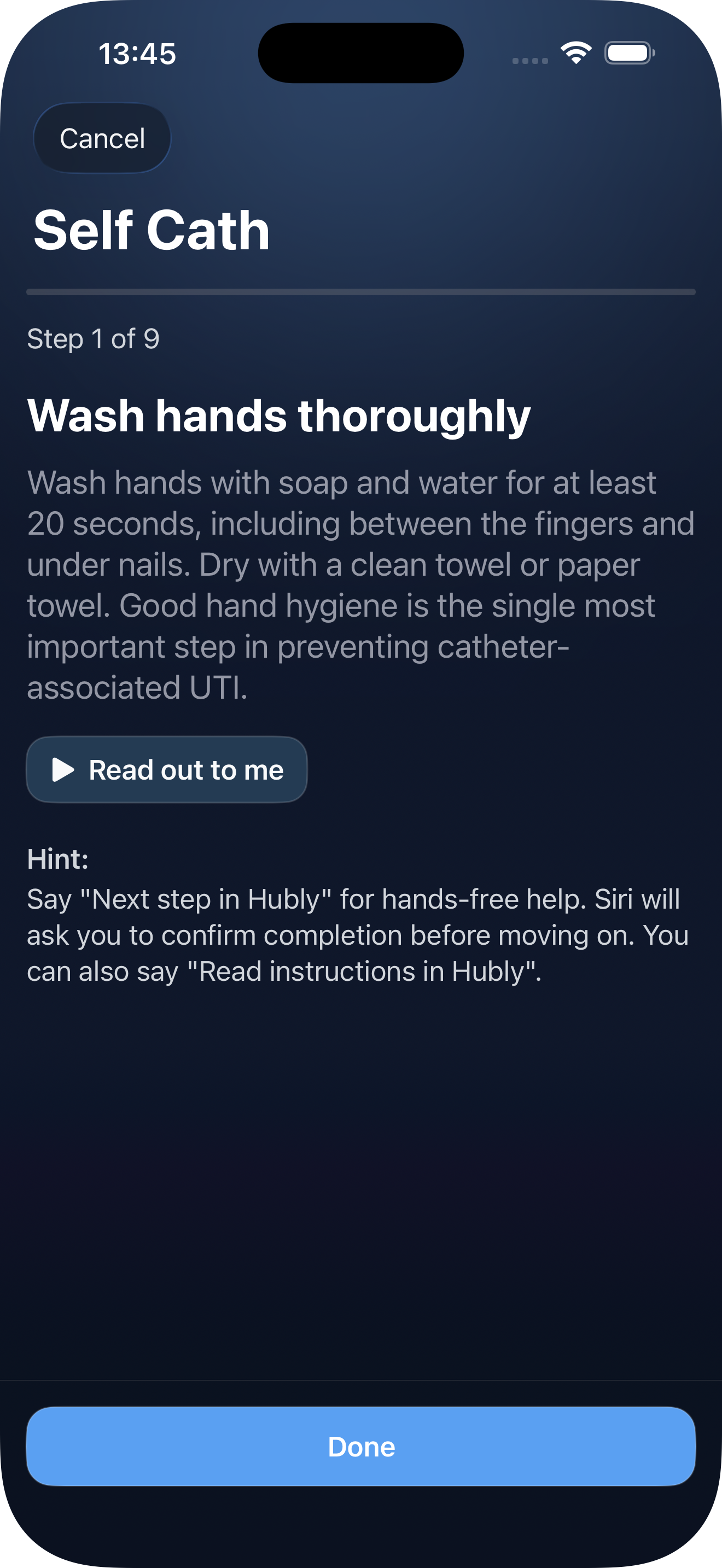
Each routine walks you through step by step. Read on-screen, or have it read aloud - using a system voice or your own Personal Voice3. Advance by tapping, or by asking Siri4 when your hands are occupied.
How much longer?
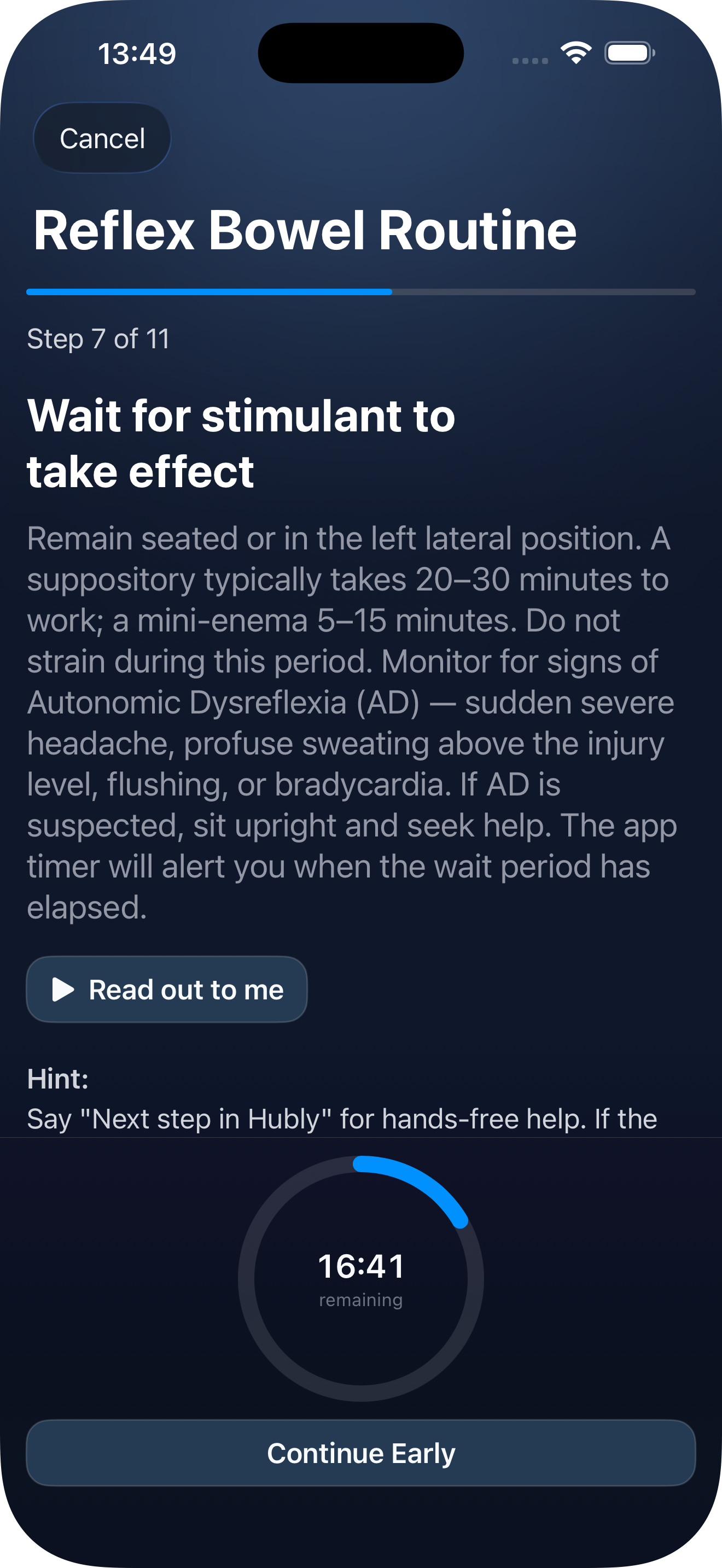
Some steps take time. Hubly sets a timer that keeps running in the background, so you can check where you are without unlocking your phone.
Monitor sessions
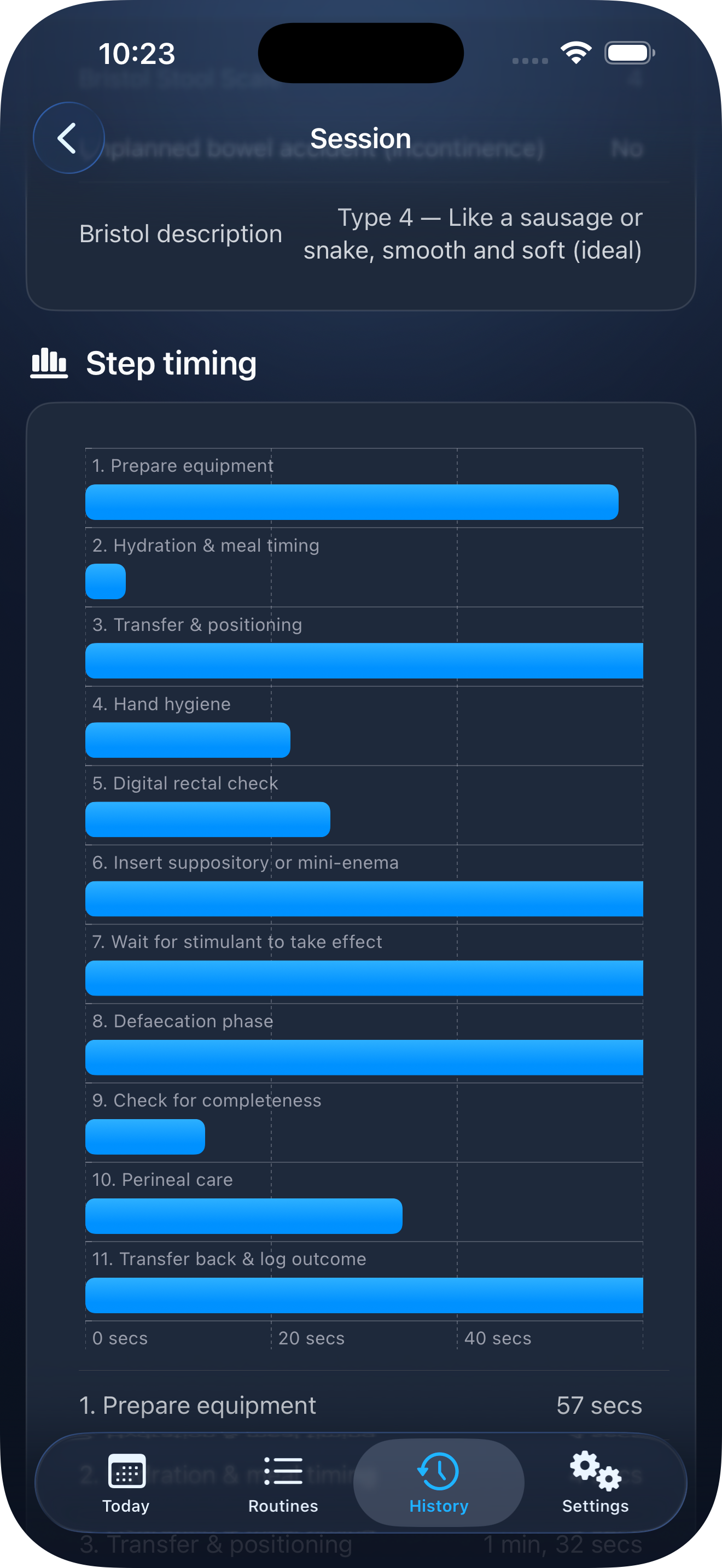
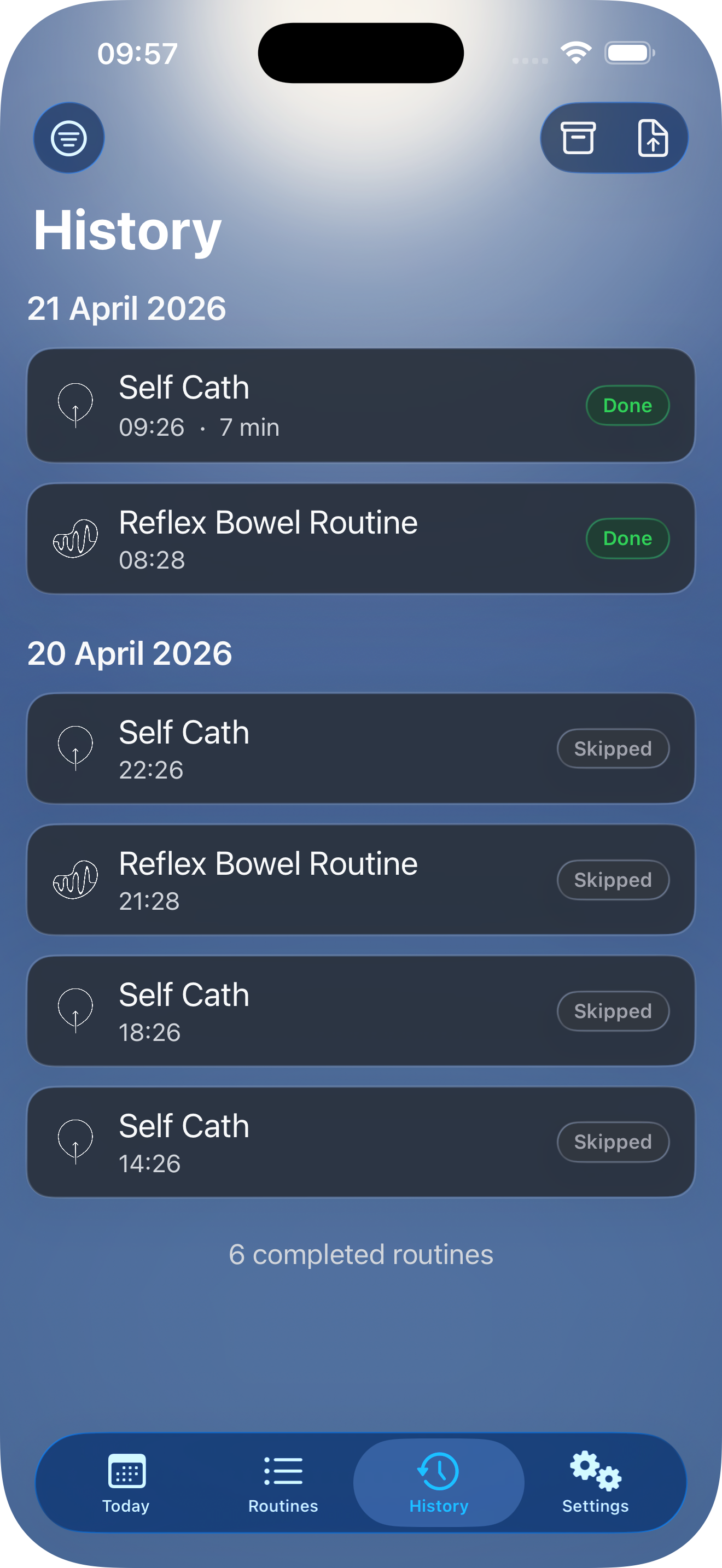
Hubly records the details of each session. Over time, allowing useful insights through statistics.
Two weeks ago I…
Hubly keeps a session log. Filter by type, outcome, or time range - useful for spotting your own patterns, and for the next time a care provider asks how things have been.
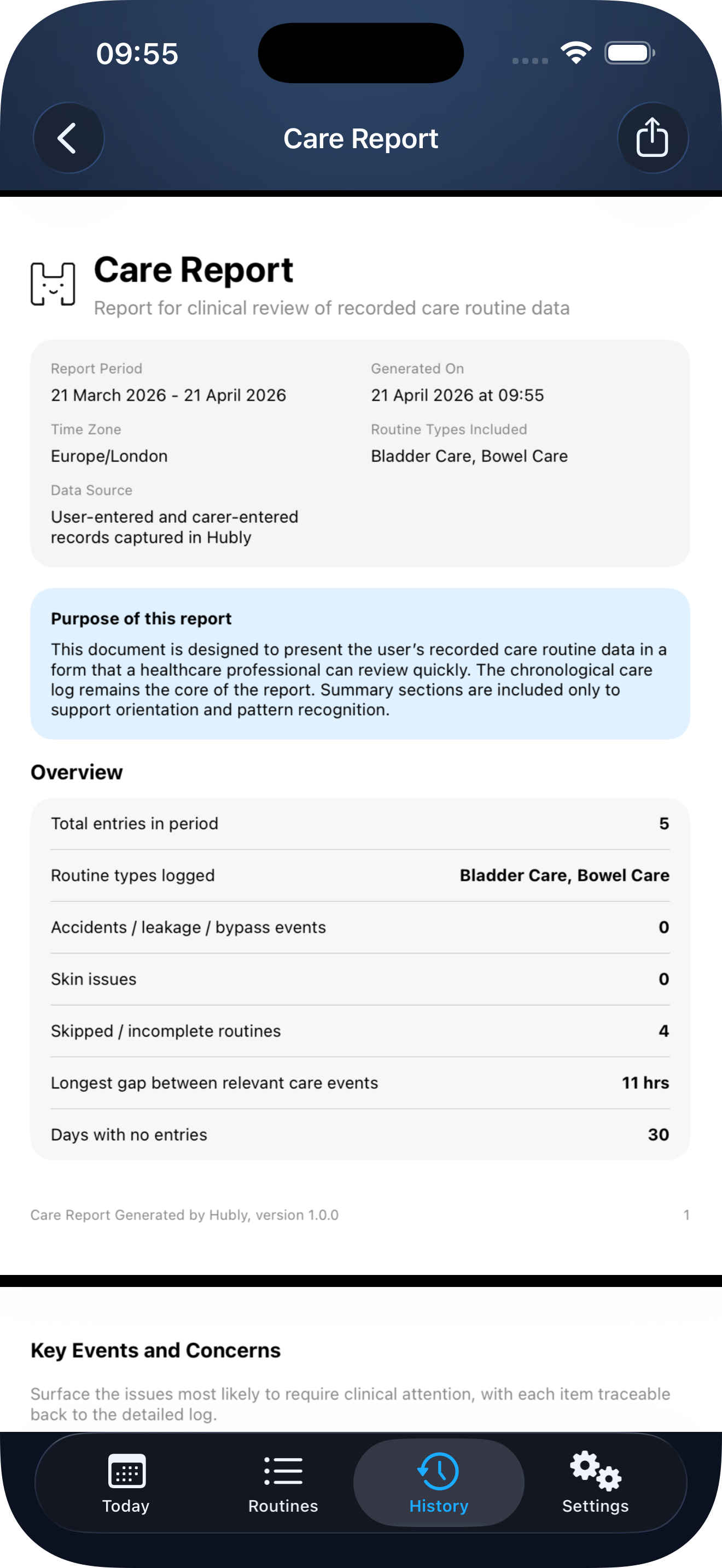
Export it as PDF
Export session logs as a PDF with summaries and statistics - share them however you want. The PDF and the data analysis, happens on your device.5
Your data stays yours.
No tracking, no analytics, no third parties. Work happens on your device. And no accounts to create for things that don't need one.
Keep the day organised.
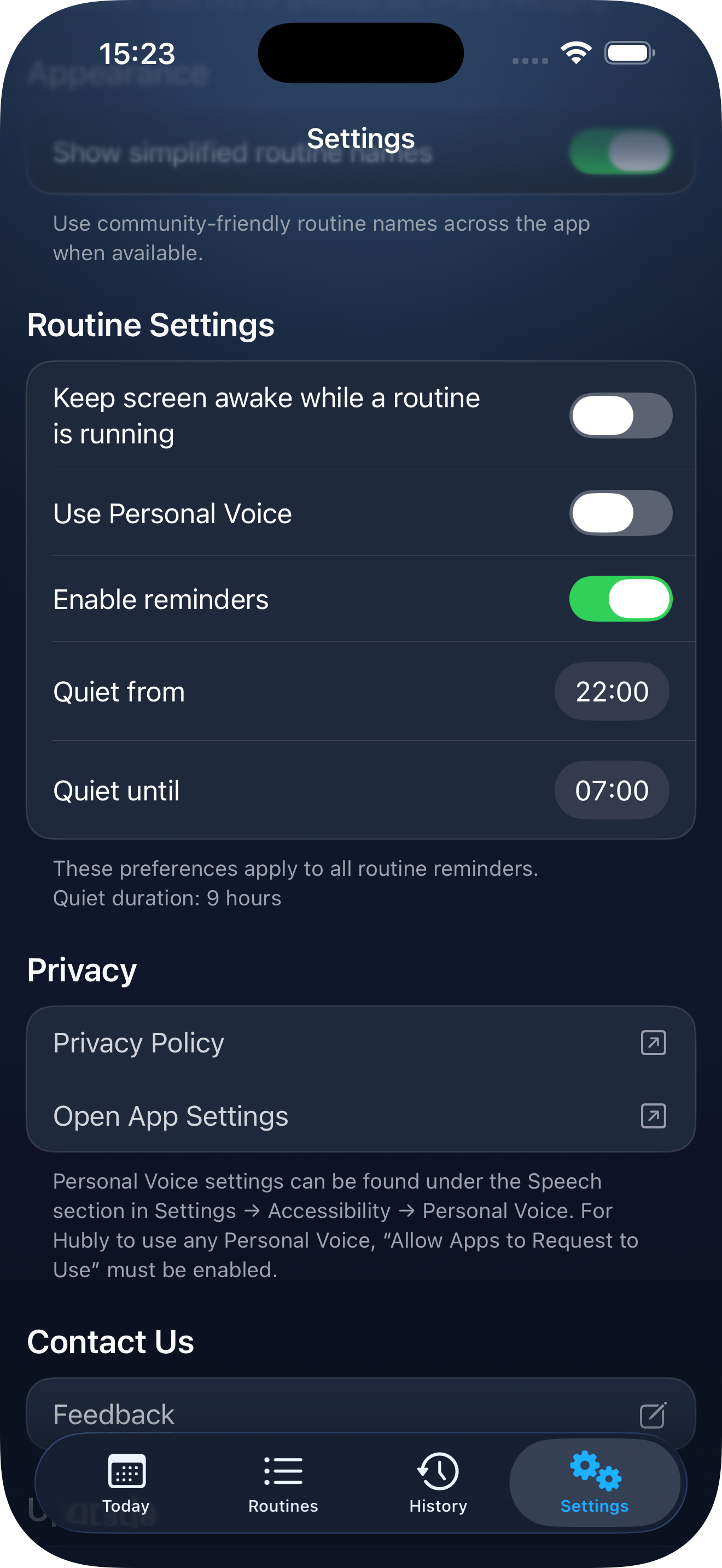
Set notification preferences, including quiet hours for the whole app and how each routine behaves during them.
Keep the night undisturbed.
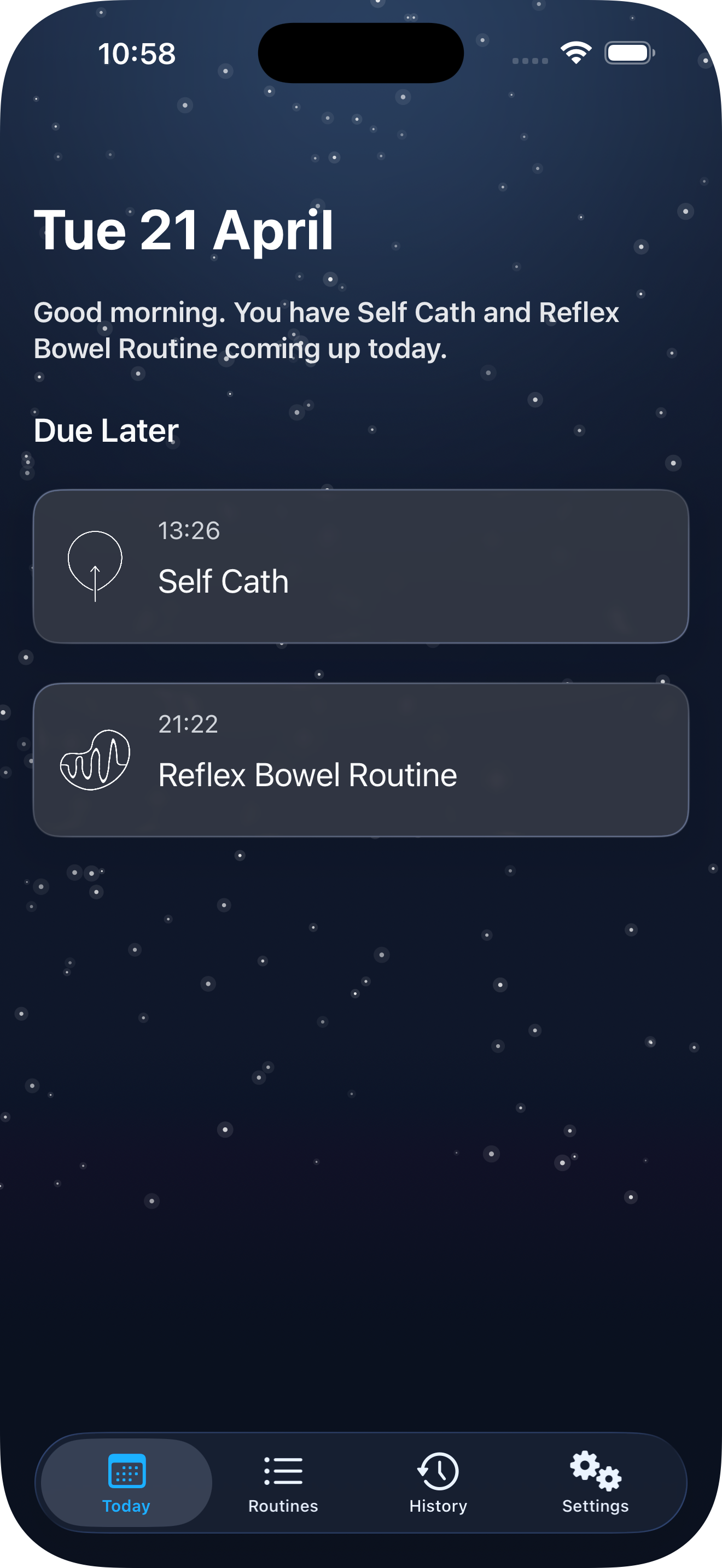
As the day winds down, so does Hubly. The interface softens, notifications go quiet, and nothing demands your attention until morning.
Notes
- Hubly helps users organise and track their own care routines for informational purposes only. It does not provide medical advice, diagnosis, or treatment recommendations. Any care routine should be determined and reviewed by a qualified healthcare professional familiar with the user's individual needs.
- Requires read-only calendar access.
- Personal Voice setup is required. Please refer to Apple's Support documentation for compatible OS versions, supported device and detailed instructions: support.apple.com/en-us/104993
- Siri needs to be enabled on device. Siri is a trademark of Apple Inc.
- PDF export requires Care+. Generation and statistical analysis happen on-device; no data is sent to Helpful Machines or third parties. Once a PDF is generated, sharing it is your decision and your responsibility. Helpful Machines Ltd. has no control over where it goes or who sees it after that point. Previously generated PDFs remain accessible if your Care+ subscription ends; new exports require an active subscription.